Find the work that needs attention
Plan the day, surface blockers, compare changes since your last visit, and focus the queue on the decisions only you can make.
Ask Spacebrain reads the connected context your team already works from, explains what deserves attention, and prepares the next action without hiding the source or skipping approval.
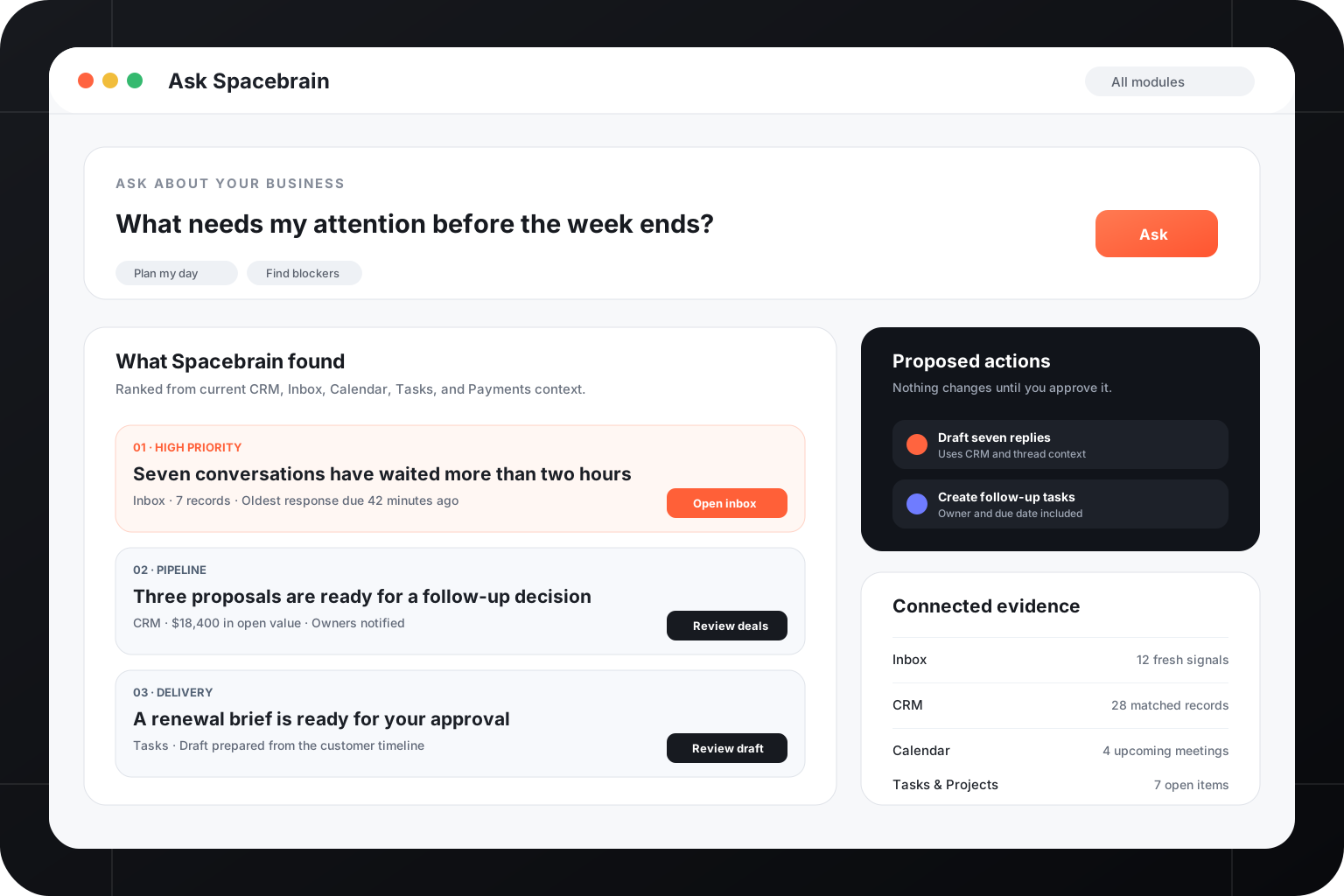
Ask Spacebrain is built for operators who need an answer, the evidence behind it, and a safe path to the next step.
Plan the day, surface blockers, compare changes since your last visit, and focus the queue on the decisions only you can make.
Narrow a question to CRM, Inbox, Calendar, Tasks, Automations, Email, Payments, SEO, Social Media, or the whole workspace.
Prepare replies, tasks, record updates, workflow drafts, and other supported actions with permissions and confirmation intact.
The assistant works beside the CRM, channels, calendar, projects, and workflows that make the answer useful.
Ask Spacebrain keeps the business question, supporting context, proposed action, and approval in one visible loop.
Describe the decision, blocker, customer, or outcome you need help with.
Spacebrain checks the relevant modules, permissions, and available evidence.
Inspect the answer, supporting records, and the exact action being proposed.
Approve the work or open the native module to finish it yourself.
Turn open conversations, meetings, tasks, and pipeline changes into a focused operating plan.
See stalled deals, overdue responses, failed workflows, and missing ownership before they become surprises.
Draft the next reply with the conversation, CRM record, booking, and approved guidance in view.
Ask which opportunities moved, why they changed, and what each owner should do next.
Turn a repeatable pattern into a reviewable automation draft instead of starting from a blank canvas.
See meaningful changes since your last visit without reading every event in every module.
Ask across the active client workspace, preserve separation between accounts, and keep proposed work inside the permissions and sources available to that client.
Ask Spacebrain is the conversational workspace for questions and proposed work. AI Copilot controls how specific assisted and automated flows behave, including their modes and guardrails.
It can use supported Spacebrain modules and connected context available to your active workspace, role, plan, and permissions.
Supported actions are shown as explicit proposals or native actions. Review the details and confirmation step before customer-facing or record-changing work runs.
Yes. Choose a module focus such as CRM, Inbox, Calendar, Tasks, Email, Payments, SEO, or Social Media, or leave the assistant focused on the whole workspace.
No. It helps you understand and continue the work; the records, conversations, workflows, and controls remain in their native Spacebrain modules.
Start with the work already in your business and move from evidence to action without another handoff.